Showing posts with label shop help. Show all posts

Monday, January 10, 2011

Etsy's Picks: The 21 Best Resources from the 2010 Business Blogosphere

Autumnal Library Necklace by TheBlackSpotBooks

Etsy admin Danielle, who puts together the Etsy Success Reading Lists, has posted an article on etsy's blog sharing the top 21 resources from 2010.

With so much content out there on the web and so many experts out there telling you how you can and should run your business, it's easy to feel overwhelmed. Where to start? Who to listen to?

My small business blog reader is bright with light bulb moments from creative and inspiring entrepreneurs. Every week I put together an Etsy Success Reading List, featuring must-read small business blog posts from the blogosphere. I also ask you to share the best tips you've come across in your online travels in these forum threads. Between us we've come up with quite a list of links, so I thought I'd share my top 21 resources from 2010.

These are blog posts, slide shows and guides that inspired me this year.

- Daniellexo

The article covers advice on getting started, product development, pricing, getting found, building your brand, selling on etsy, and small business lessons.

Keep an eye out for my self-service critique, which was included in the list!!

Wishing everyone luck with their stores in 2011, and I hope you'll take a look at Danielle's article and find some useful tips.


Make more sales- subscribe to The Etsy Business Tips Newsletter

Wednesday, December 1, 2010

Top 5 Etsy Mistakes

I've done a lot of critiques for many different kinds of etsy stores, and I've noticed that the main issues that come up are often the same. I've put together a list here that people can use to take a critical look at their shops - a lot of these things aren't very difficult to fix, but can make a huge difference to your sales

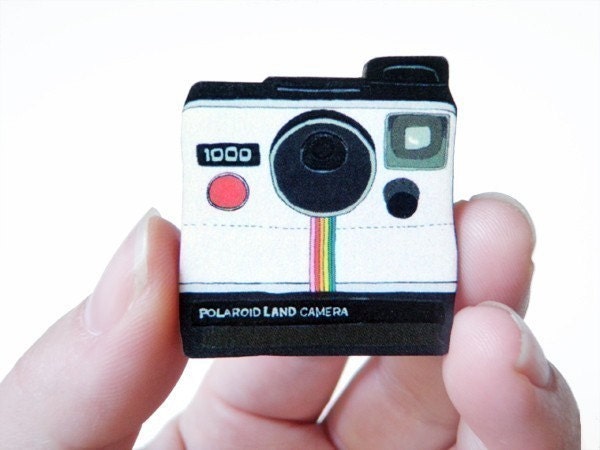
Polaroid Camera Brooch by craftyfolk

1) Average Photos
This is a big one. You have to have great products, but presenting them in an appealing way is absolutely critical. A good tip is to have a look at items that have made the front page using craftcult's vault feature and think about how your pictures compare. Also, a very common mistake I see in a lot of shops is that pictures don't look great/are chopped off in gallery mode. That is the version that they appear in for treasuries and features by etsy, so you are hurting your chances for free exposure if your pics don't look good. Another common issue is when earrings etc are not arranged carefully. Think about the angles you're using and take lots of pictures so that you can pick the very best ones- experiment with different positions with your camera.

A final common problem is with backgrounds. Generally, the item should be the focus rather than the background being used to create interest. Some sellers can successfully use interesting backgrounds, but it needs to be done very carefully. When choosing backgrounds, it's also important to think about how they will fit in with other items if being considered for a treasury or front page feature. If you're having trouble getting good shots, you can make or purchase a light box. You don't need a fancy camera- mine was only about $200 (you can see the one I use on the right side of this blog). Bomobob shared some great picture tips on this blog if you're looking for further tips.

2) Lack of Keywords and Short Descriptions
A lot of sellers who are struggling to make sales don't include much information in their titles or descriptions. Buyers need to know what the item is, all the essential information (eg measurements in mm and inches), and it's also great if they can get a feel for the creative process and the artist or designer behind the piece- that's part of the appeal of buying handmade! It's also important to think about how buyers will find you both on etsy and through search engines. Try to use keywords they might be searching for, and repeat the most important ones in your shop title, item titles, tags and descriptions where relevant. Each new keyword you use gives you another chance to be found, and repeating your main chosen keywords can help boost your ranking in google searches.


Shopping Cart Photo by jennifersquires

3) Shop Image Issues
As well as having fantastic photos, it's important to also have a clear non-fuzzy banner that fits with the overall image/branding of your shop. It's often the first impression a buyer will have of your shop, so it's worth spending some time on. Don't forget to also fill out your profile- that gives you a chance to provide buyers with some insight into the person behind the shop, and also allows you to share the story behind your creations.

4) No Policies or Feedback
Often sellers who approach me for help haven't filled out their policies and don't have any feedback. It's important to have shop policies in place to help you run your store effectively, but also to make buyers feel confident in you as a professional seller. I often also see statements like 'lost packages are not my responsibility', which will prevent some people from purchasing. Also, it's often not true legally, and PayPal will refund buyers if they do not receive their package, so it's best not to include statements like that. Regarding feedback, buying a few things to get some feedback can also encourage buyers to purchase from a new shop.


Custom Logo Cupcakes by shortbreadnyc

5) Small Number of Listings and Lack of Promotion
These are two major factors that can influence the number of sales you make. Having at least two pages of listings can make a huge difference- partly because it gives you more chance of being found in searches, but also because it gives buyers a selection and makes your shop look full and attended to. Once your shop is looking great and is filled up with cool stuff, the next thing to do is focus on promotion.

Some shops are lucky or have very searchable items, so don't need to promote a great deal. However, the majority of sellers are pretty much invisible without promoting off etsy. Certainly that's the case for my shop- I'd have about 3 sales without twitter and facebook I think- seriously! An important thing to keep in mind is your target audience, otherwise you might feel like you're 'promoting' all day and getting nowhere...other etsy sellers are often not a good target audience and you might spend all day every day trying to get sales from chatting in the forums when you could spend an hour promoting to non-etsy people and make more sales. You can find the article I wrote about how to do this with twitter here. Apart from not-so-great photos, lack of promotion is usually the biggest thing holding people back from making lots of sales.


Make more sales- subscribe to The Etsy Business Tips Newsletter


Twitter Power- How to Dominate Your Market One Tweet at a Time
from amazon.com

Tuesday, October 19, 2010

Dot Point Critique: eefink

This post is part of series providing brief critiques for etsy sellers having trouble making as many sales as they would like. Hopefully it will also be useful for others, and you can find a really detailed self-service critique on my blog if you'd like some further tips.

The 'Dot Point Critique' shop for today is eefink.etsy.com

Ok- I love eefink's shop- it's super cute and original, which is always an important factor. The photos are also great, which is often one of the major things holding sellers back. The only thing I'd recommend in relation to pictures is to make sure no edges are chopped off in gallery mode, as this is how items appear on the front page etc.

Number of Products
The first problem that immediately jumps out is the number of products- I always recommend having a minimum of around two pages of products as a good rule of thumb (at the time of writing there were about 7 products listed). This is for a number of reasons- it gives your customers choice, it makes your shop look active and like a complete store, and each different item has different keywords associated with it, so each ones provides a different chance for you to be found by buyers searching on etsy or google. Also, having more products means people might buy more than one thing!

Keywords
Another thing that could be improved is the use of keywords in titles and tags. Colour is something that's missing from both, and buyers and treasury-makers both often search using colour. Both areas could also contain keywords relating to the illustration on the cards- for example the card above says nothing in the title or tags about what the picture is beyond 'comic' or 'cartoon'. You really need to use specific keywords so that buyers will find you in searches both on and off etsy- there are so many items listed that are comics or cartoons, so extra keywords will help you stand out. I would also include the number of cards in each set in the title so that buyers scanning through lots of items don't have to click on the listing to find out how many cards are being offered for that price.

Profile and Pricing
The profile for this shop could contain a little more info to give a feel for the story behind the illustrations- part of the appeal of buying handmade is often that there's a bit of a story behind it. In relation to pricing, to me it looks as though some items are a bit underpriced, although that's obviously a matter of opinion. Some sellers who are having trouble making sales think that they need to have low prices to sell, but this can sometimes actually work against you. When pricing your items, don't forget to take all etsy listing/relisting and PayPal fees into account- I've seen a lot of new sellers who are actually paying for people to buy their items! In eefink's case, I think people would be happy to pay more for such cute stuff!

Promotion
It's immediately clear that the main reason for the lack of sales in this case is very low traffic- nobody's finding the shop! You can see this in the low views recorded for each item. One thing that would help a little is keeping the shop up to date a bit more- relisting some items can help keep them in the etsy search, although whether or not frequent relisting helps depends very much on your shop (I don't relist a great deal for example).

Mainly though, off-etsy promotion is going to be critical here. I can pretty much guarantee that with more products in the shop, building up a substantial facebook and twitter following would start bringing in regular sales- probably quite a lot! Both FB and twitter can be used very effectively, but they need to be done correctly. I would advise building up twitter first, and then using that to gain a facebook following. You can find detailed information on this blog about how to get more twitter followers, and I recommend having at least around 2000, otherwise it's not likely to have much of an effect (and I'd be aiming for at least a few hundred facebook fans).

Hope that's helpful for eefink and other readers! I'll be posting a call for other people who would like a shop critique soon, so keep an eye on the blog (you can subscribe by email above on the right side panel).

If you'd like to help eefink build up a follower base, you can find her here:
Blog
Facebook
Twitter

Posted by Morphologica

www.morphologicadesign.com - Laser Cut Jewellery Inspired By Science


Wednesday, July 28, 2010

Quick Tips: Non-Paying Buyers on Etsy

Cute Ceramic Piggy Bank by ArtMind

Non-paying buyers (NPBs) are a bit of an issue on Etsy. It can be rather frustrating to get excited about making a sale and then end up having to cancel the order because payment never comes through.

Fortunately, there are a few things you can do to reduce your NPB rate.

1) Contact the customer
It can be a good idea to contact the customer if you haven't received payment within a few days. They may not realise that they haven't paid yet- the etsy checkout process can be confusing for some buyers, and sometimes there are bugs. If your buyer is new to etsy, sending a polite email (rather than convo) can be a good way of contacting them- many buyers who are not experienced etsy users do not check their convos and may not see your message.

2) Assist with the payment process
When contacting your buyer, it might be helpful to provide them with instructions on how to pay in case they are having difficulty with that aspect. This link walks buyers through the different stages of checkout.

3) Send a PayPal invoice
Another thing you can do is to send your buyer a PayPal invoice directly. To do this, sign into your PayPal account and click on the 'request money' link, then fill out the required details. This can be a good approach if buyers are having trouble making payment or if they need a reminder.

If you don't hear back from the buyer after trying these things, you can cancel the transaction from within 'your etsy' so that you get your etsy fees back.

One important thing to note- the etsy system isn't perfect, so sometimes orders have actually been paid for but are not marked by etsy as 'payment received'. It's always a good idea to check your PayPal account in case payment has actually been made.


Connect with me on facebook

Sunday, July 18, 2010

Guest post by the famous Bomobob: Etsy Photography Made (as) Simple (as possible)

Kindly written and shared by guest blogger Bomobob.etsy.com (you've probably seen him in the etsy forums!) and originally published on bomobob.blogspot.com

In the Pink Fine Art Flower Photography Print

There is no doubt that the greatest challenge for anyone selling products on Etsy is photographing those products. There are endless threads bemoaning the frustration of trying to get "Front Page worthy" photos. For us photographers, it's a breeze, but it's also easy to forget just how challenging it can be for someone who doesn't sleep with a camera in their hand...

Over the past little while, I've written several forum threads on Etsy regarding product photography, and I thought it would be a good idea to transcribe them here, as well as linking to them.

(You can find links to the original Etsy threads at the end of this article, so that you can read through all the comments, questions, and discussions)


A Quick and Dirty Science Class

Digital cameras: For those days when you just want throw it at the wall as hard as you can.

Just like film cameras, digital cameras collect light. The shutter opens, and light comes in. Your camera’s sensor looks like a Shreddie (Chex?), with lots of little square wells. The light pours in and starts to fill up those wells.

But the sensor is an electronic device, and as such, it produces “noise” like all electronic devices. It’s not noise you can hear, like the humming of your old stereo when the music stops. It’s image noise, which makes photos look grainy and fuzzy. And you know how if you turn up the volume on that old stereo, the humming gets louder? Well, same thing on your camera when you set it to a higher ISO. There’s actually a little amplifier inside that cranks up the sensitivity of your camera so you can take pictures with less light. Problem is, it cranks up the noise even more.

So: High ISO=BAD

There’s another thing that can happen that has the same effect, even on low ISO. If your camera sees there’s not much light, it just leaves the shutter open longer to collect enough to give you a decently bright picture. So the light’s coming in, making an image, but guess what? That @#%^&% noise is building up too. And it accumulates. And the picture ends up looking as bad as on high ISO.

So: Low Shutter Speed (long exposure)=BAD

This is just about when you start looking at that wall, and wondering how hard you can throw this piece of junk. And your head starts to spin…

I should buy a better camera
I can’t afford a better camera right now
My pictures suck
*bite nails*
What am I gonna do?

The solution is so simple; it’s almost a joke. More light. Yup, you’ve heard it before, but your house is dark, the sky is always cloudy, the kids are screaming…

All you have to do is grab a couple of lamps and put them close to the stuff you’re shooting. If your Lowes sells OTT bulbs, even better. The more light the merrier.

Fact is, you probably don’t need a new camera. In fact I’m willing to bet that just about every camera any of you own can take amazing photos, even if it’s a $30 Walmart special. Even the crappiest digital camera can take really good photos. It’s just a matter of giving it some light. Lots of light.


Fine Art Carnival Photo- Lighter Than Air

More Dirty Science

RTFM comes up a lot with reference to cameras, but unfortunately most manuals are written by geeks, for geeks. They’re so bad in fact, that even a pseudo-geek like me has a hard time with them.

For someone with ZERO knowledge of cameras (like 99% of the population), they may as well be in Latin. Or Canadian.

So in this class, I want to dumb down the entire camera manual, any camera manual, into two really simple concepts:

Shutter speed and Aperture.

I see Soap Girl’s eyes glazing over already in the back row. *Throws chalk at Soap Girl*

In spite of how complex they are, how much they cost, how big the manuals are, or who they’re made by, when a picture is snapped, only two simple things really happen. (OK, way more than two, but the rest we don’t care about now)

1. An opening in the lens (the Aperture) opens up a little bit or a lot to let in light

2. The shutter opens and then closes again, really quickly.

That’s it. That’s been it for 100 years.

The aperture opens up wide to let in lots of light, or it opens up just a tiny bit to let in just a bit of light.

Similarly, the shutter opens and closes slowly to let in a lot of light, or it does so really, really fast to just let in a bit. In film cameras, the shutter is like a little curtain that gets flung open to let light hit the film, and then closed very quickly. Digitals work a bit differently, but that doesn’t matter. The function is 100% identical.

So, the aperture is pretty basic. Lots of light (big) or a little bit of light (small).

The shutter does stuff we can relate to though. It’s exactly like opening your eyes. If you open them for 1 second, you see stuff happening around you. But if you just blink really fast, all you see is an instant frozen in time.

Shutter fast – just a blink of light, and frozen moment

Shutter slooooowwwww – light coming in for a long time, and lots of stuff moving around.

Your camera likes to have a balance of aperture and shutter speed because they both let in light. One determines how much, and one how long. So it balances them for you. If it uses a big aperture to let in tons of light, it will use a fast shutter speed. Conversely, if it uses a tiny aperture, it will keep the shutter open longer to compensate.

So here’s a little experiment you can just pretend to do.

You go to watch little Jimmy at his soccer practice. Luckily for you, little Jimmy really needs the practice because he’s a rubbish soccer player, which means he’s constantly running past you to get the ball. What a great opportunity. You set up your camera on the tripod and you take pictures of Jimmy as he runs past.

Let’s pretend your camera isn’t completely automatic. You set the aperture really small (very little light), and so you set the shutter to a long setting, maybe 1 second.

Here comes Johnny! Or is it Jimmy? Can never remember that kid’s name.

Click. There’s a picture of Jimmy, just looking like a transparent swoosh as he ran by. 1 second’s a long time.

So now you make the shutter faster, maybe ¼ of a second. Well, to get the same exposure as before, you need to open the aperture a bit to let in more light, since your shutter is now so much faster.

Click. Hey, Jimmy’s looking more like a little soccer player now. He’s blurred, but you can tell it’s him.

You’re already getting the hang of this. You set the shutter for 1/60 of a second, pretty fast. Of course you open up the aperture even more, and…

Click. Wow, he’s almost frozen in his tracks, with just some slight blur on his legs.

So now you set the shutter speed to 1/1000 of a second, super fast. That’s so fast in fact, you’ll have to open the aperture all the way.

Click. He’s perfectly frozen, leaping above the ground.

So all the while you had to keep trading of one against the other to get the same exposure every time. But if you wanted to change the exposure to make it brighter or darker, you now know there are a couple of things you could have done each time.

Want it lighter? Open the aperture a bit more than you did. Or, make the shutter a little bit slower to allow more light in. And the opposite if you wanted the pictures darker.

The good news is that for objects that don’t move, the shutter speed isn’t very important, so it’s one less thing to worry about.

Your camera always sets the aperture and shutter speed to get what it thinks is a perfect exposure. It has no idea what you’re taking pictures of or how you want them to look. But many very basic cameras do allow you to make little adjustments to the aperture and shutter speed, and thereby let you take in a bit more light, or a bit less.


One Fine Art Nature Photography Print- Metallic Tree

Make Your Pictures POP!

Make your pictures "POP"; and doing it right is much easier than you think.

A common problem for many photos is their lack of dynamic range. Dy-what? That's the range of tones, from lightest to darkest in a photo, and extending the dynamic range is the single biggest difference between photos that look kind of flat, and those that jump right off the page. It's probably the biggest difference between a potential sale and no view at all.

This is especially true in thumbnails, and thumbnails are the one and only chance you have to make someone click on your item. It's the first thing they see while browsing your shop or browsing a general section, and this is where you want to grab people's attention.

To use a simple analogy, think of a stereo. If the sound is sort of flat, what do you do? Do you turn up the volume? Nope, you play with the bass and treble to make the lows lower and the highs higher.

It's the same with photos. Playing with the brightness and contrast is what most people to do add punch to their photos, but you know what? It's a little bit like just turning up the volume. The Brightness control just makes the whole picture brighter, including the dark stuff. That sucks. And contrast actually just adds distortion in most cases. That sucks too.

What you really want to do is stretch the dynamic range. In geek terms, this means adjusting the white and black points, but who the hell knows what that means? Well, you don't really have to. All you need to know is HOW to do it. And it's dead simple.

Picasa:
Double click on the file to edit it.
Click the tab that says "Tuning"
Look for the lightest spot in the photo, the bit that's closest to white.
Now slide the "Highlights" slider until that area is nice and white. If some other spot starts getting too bright, then just concentrate on that spot instead.
Now look for the darkest part of the photo, and slide the "Shadows" slider until it's as dark as you'd like it to be.
See the difference? That's "POP".

Picnik:
Click the "Exposure" button.
Click the "Advanced" button. (don't be scared!)
See the little box that pops up on the right side with the scary graph?
Drag the "Highlights" slider until the blobs on the right side of the graph get close to the right edge of the graph.
Now drag the "Shadows" slider until the blobs on the left get close to the left side.
That's "POP".

Photoshop:
Click on Image>Adjustments>Levels…
Uh-oh! Scary graph alert! No sweat…
Right below the scary graph, drag the little black triangle to the right until it's just below the part of the graph where the blobby curve starts going up towards the right.
Now drag the white triangle towards the left until it's near the part of the curve that starts rising up towards the left.
Click the "Preview" box off and on to see the difference. Some difference, huh?
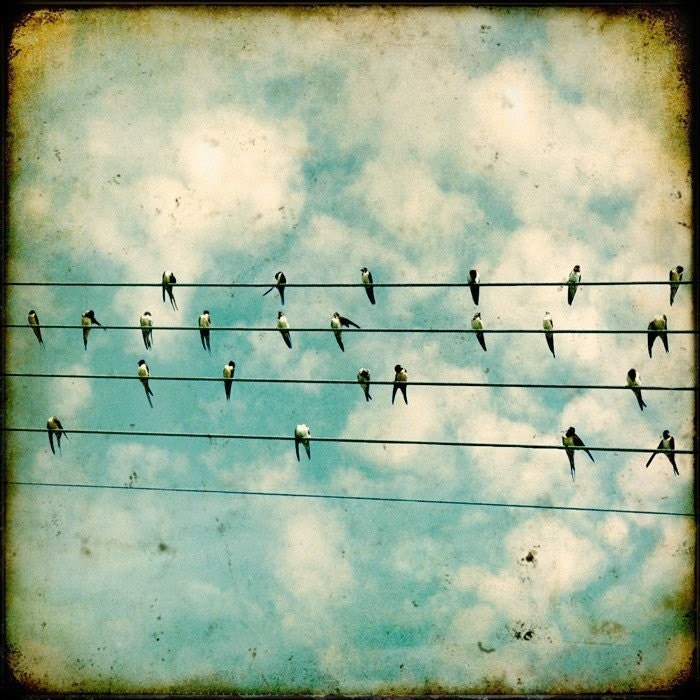

Fine Art Bird Photography- Flock

Stop Being Invisible

Pictures.

Need I say more?

Well, yes. Much more.

Before anyone gets as far as your pictures, they have to first want to click on the thumbnail, because that's the first thing they see. There was a thread on this yesterday, and I wanted to do a show-and-tell.

The web is visual. Shopping on the web is extremely visual. Every day we read threads about low views or no views. It's not because the items are not good or attractive, but rather because nobody clicks them.
Your item's thumbnail is your one and only opportunity to get people into your shop. There's no grey area here. They click or they don't. Full stop.

That thumbnail has to make them want to click. It has to catch their eye, intrigue them, seduce them, make them open the door and walk into your shop. If you had a real store, it would be the display window. I say tag shmag. People mostly browse. Yes, they search too, but they mostly browse sections they're interested in. A page appears. 21 thumbnails, 75x75 in list view or 155x125 in gallery view.

If you're like me, you flick your Magic Mouse or you spin your scroll wheel, and zip down the page, your eyes darting around looking for something to jump out.

So here's an example. A beaded necklace, and two thumbnails out of many possibilities. Both shot with the same really crappy camera, in the same light at the same time.

One view from above, the whole necklace, the photo straight out of the crappy camera.
One close up, just a small section, levels adjusted after the fact.

List view:


Gallery view:


Which would you click? Even though you can't really tell what the 2nd thumbnail is, it stands out.

Here are the two full size pictures:


Notice how the dark photo, though not great, isn't too too bad in full size. It's dark, but that's the only issue. But in a thumbnail, it's just totally unclickable.

So while it's important to have great photos, spend lots of time looking at the thumbnails because they look totally different than the full size pictures. Use high contrast views. Make the colours POP. Make them visually interesting. You have 5 slots for pictures, so the main one doesn't have to show the whole item. Don't just upload you images to Etsy and then see them. Change your images to 75x75 or 155x125 and view them in real size on your screen.
How do they look? Do they jump off the page, or do they just sit there, waiting to be passed by?


Here are the links to the original threads on Etsy:


Stop Being Invisible


Apartment Therapy Set (featured on Apartment Therapy)

Written by guest blogger Bomobob.etsy.com


Thursday, July 15, 2010

Dot Point Critique: SparklePanda

I saw a rather disheartened message on twitter from sparklepanda, so thought I'd do a critique of her shop and also pick a second shop from the people who put their names down on the previous dot point post. I'm having a few problems at the moment- all my old blog comments have disappeared- but they will hopefully be back soon and I can pick the next shop!

Hopefully others might pick up some tips from this brief critique too.


Dot Point Critique for SparklePanda:

Overall, I think the two main things getting in MsSparklePanda's way are photos and promotion. She has a great product but the pics need to be amazing to showcase that properly, and I don't think they quite do the pieces justice. It's all about image!


Photos
  • If the clothing can't be photographed worn (which I understand given the issues about putting photos of your children on the internet), I think this shop's items would be presented best on a plain white background. For example, this picture looks much more professional and etsy front-page-worthy (except that it doesn't show enough of the item):

than this one:

To give a rough idea- the shop would look something more like this:

rather than this:
Every picture needs to be just as good as the first. I think changing the background and really arranging the clothing carefully would make a huge difference. It might be possible to take a really good photo on the mannequin (with the mannequin against a pure white background for eg) that could be included as one of the additional photos- a white mannequin might work better as well. Image is particularly important because of the level of pricing (as opposed to shops who sell a lot because they price things really cheaply).

  • Make sure photos look good in gallery mode as this is how they appear in etsy features (Storque, front page) and in treasuries. It's helpful to think of this each time a new listing is added.
  • For the same reason, it can be a good idea when showing just a small section of an item to make sure you can still easily tell what it is. For example, it is not obvious what this is when viewed in the thumbnail version.


Reversible Appliqued Pinny Top and Baby Ruffle Pants Set

Listings

Titles are very important for searches on and off etsy. Including the word 'children's' could be useful. Many buyers may not know what 'OOAK' means, so I would consider moving that to the end of the title or using words.
  • More measurements could be useful
  • Include all relevant colours (also good for being chosen in treasuries)
  • 'Kids' is a big search word accoring to the google keyword tool, so I would include that in titles and tags
  • Having at least two full pages of listings should also make a difference to sales
  • You might want to add some of your items to the 'children' category (as your first tag) as well as those that are listed in the 'clothing' category in case buyers are searching by category, because they wouldn't find your items (I didn't check all of them, but looks like most are in the clothing category)
  • Adding your shop name can be helpful if people are looking for you (it's one of my biggest search terms for my shop)


Other Shop Areas

  • Policies- personally, I would write shop policies in a more formal tone, but that's a matter of opinion :) Also, saying that you're not responsible for lost packages would probably put a lot of customers off, and is not actually correct. If they don't receive their purchase, they can claim through PayPal and will get their money back. Buyers might also be discouraged by your policy on having to pay for shipping both ways to return damaged items (is that what you mean? I wasn't sure). Many sellers factor these things into their prices as a cost of doing business.
  • Shop section names are very important for google searches, so you might want to think about including keywords there like 'handmade' rather than the age range, but it depends on how you think buyers might search for children's clothing in google.

Promotion

As well as photos, the other major thing preventing sales here is promotion.
Twitter can be extremely powerful. However, I recommend having a minimum of at least 2000 followers to see much of an effect- having 183 followers isn't likely to get you very far. I wrote a detailed article on how to do this easily here. Also, finding the right audience (not just other etsy sellers) is essential, and the article discusses that too. Luckily, it should be easy to find very targeted followers interested in children's clothing!
  • Facebook can also drive a huge amount of traffic and help you reach new people (when people comment it shows up in their newsfeeds and their friends will see it). Again, numbers really do make a difference here (and having fans who are not just etsy sellers). The sparkle page has around 100 followers, so I'd be trying to increase that to a few hundred at least. You can build your facebook following by mentioning it on twitter every now and then, running a giveaway on a blog where people need to 'like' your page (make sure you comply with FB policies), putting the link in your email signature, having a 'fan box' on your blog (as you have done) etc. Engaging readers by asking for feedback/opinions can be a good strategy for getting people to comment- I find I get the most comments on my facebook page when asking Qs or posting a new photo album- you can see how I do it here, although I also need to work on that aspect more as well. Facebook ads can also be quite effective if used properly, but it can also be done without paid advertising.
  • The SparklePanda blog looks great, but again the numbers need to be a lot higher. Currently you have around 30 followers, so I'd be aiming for at least 100 as a good starting point. Promoting your blog on twitter and facebook every now and then (by sharing a link to a post, for example) will help with that, as would running a giveaway and promoting that. You can also write posts that are likely to be googled a lot/of interest to a wide audience- perhaps tutorials, recipes etc.
Luckily the items themselves are great, so you just need to work on conveying that to people visiting your shop, and to start bringing in lots of traffic! I'm sure if you work on all of these things and really build those numbers up, you'll start making sales pretty quickly! :) Let us know how you go!


Further info: Self-Service Critique

If anyone wants to help SparklePanda build up her follower base (and watch those sales grow hopefully!), you can find her here:
blog facebook twitter


Connect with me on facebook

PS There'll be an opportunity for other sellers to be the *star* of a dot-point critique soon (when I publish the second critique), so keep an eye out.

Wednesday, July 7, 2010

Work Smarter- achieve more with less effort!

Bear PDF Pattern Exhausted by ch1306

....or put in the same amount of effort but achieve much better results!

Effective and efficient promotion (as well as other aspects of running an etsy business) is a subject that is of great interest to me, because I'm in the final stages of completing my PhD and have a very limited amount of time. I'm also guilty of procrastinating when things get overwhelming, and suffer from a slight etsy addiction :)

This blog post is intended for forum-addicts and etsy sellers who are wondering why they're working so hard and getting nowhere....but it's hopefully relevant to other etsy sellers as well- I'm always looking for ways to streamline my work, both on and off etsy.


Prioritise

Very Important Things To Do List by paperbyforgetmenot

Many people tend to procrastinate when they have lots of things to do, especially when it gets to the point where it all becomes overwhelming. It's really important to be aware of which activities are productive, and which things are distractions or less productive.

I love this piece of advice from Procrastination: Why you do it and what to do about it (an excellent anti-procrastination resource): if your 'To Do' list is too long....do first things first and second things never! Learning to stop trying to do everything and to say no to things is an important skill (still not very good at this myself).

Why is it so important to prioritise? So that you spend time on the things likely to actually bring sales and build your business effectively, rather than wasting time on things that won't help or are very inefficient. This is even more important if you have very limited time, like I do.

Tools to help you create ordered To Do lists:


So how do you know which things to prioritise?


Working out what is important

Thought Bubble Chalkboard Vinyl Decal by asignofthetimes

Google analytics is an extremely valuable resource- I don't think I would be able to run my shop without it. If you've been putting off jumping into your GA results, I can assure you that it is definitely worth the effort! You can use google analytics to find out essential information about which promotional methods are effective so you can adapt your approach- how much traffic do you actually get from your blog/facebook/twitter/off-etsy forums etc?

For my shop, I quickly realised that twitter and facebook were bringing in a large proportion of my traffic, so have really focused on building those up. It's also shown me that blogging is not an effective strategy for me, because my blog is written for other etsy sellers, so I don't really consider it part of my shop promotion (it's just for procrastination and because I need to get some info out of my brain). I therefore don't prioritise it over other more important things. Blogging can be very effective for others- that's why you really need to carefully evaluate what works for your particular shop.

**An important note about using GA to assess the effectiveness of your blog: google analytics does not show clicks through to your shop via etsy minis as coming from your blog, but rather displays them as visits from within etsy. It's easy to see how many people have clicked on your etsy mini and visited your shop by following the instructions here.


Customer contact can bring you very useful information about where your sales are coming from, rather than just views. These two things are often related, but there can be important differences. For example, I can receive hundreds of views from the etsy forums without making a sale, but might receive under 100 views from another source and make multiple sales (because other etsy sellers are definitely not a target audience for me). You can gather information about how your customers found you by asking them directly, and also through the contact you have with them on social networks, as you might recognise them from those venues (or they may even comment on their purchase). You can also ask buyers how they heard about your store by setting up a brief PayPal survey that they can choose to fill in during payment.

Offering special discount codes specific to twitter vs facebook vs your blog vs coupon sites etc can also provide you with some insight into effective promotional venues. Another option is to use google analytics to try to find out which site a specific buyer came from when visiting your site and making a purchase.

This information about where your actual customers are coming from can help you adjust your promotion efforts and focus your attention on areas likely to produce results while minimising time spent on less effective activities. This may involve the realisation that chatting on the forums for hours is actually not effective promotion (depending on the nature of your shop) but is a form if procrastination/just a fun activity, which can be inconvenient to admit ;) I think this is an important point though- many newbies get burnt out and they feel like they're working hard 'promoting' but getting nowhere, despite spending hours and hours on it. Many times, this is because they're promoting in an ineffective way or to the wrong audience (although sometimes it can be because their photos etc need work. See this self-critique article for help with that).

This is a critical point for trying to set things up so that you are 'working smarter' - you need to work out where to direct your effort. Think about each action you take and ask yourself whether it is the best thing you could be doing with that time. Which is likely to be more productive in growing your business- spending a second hour chatting on the etsy forums or using that time to compose emails that you can send out to 5 magazines that might be interested in featuring your work?

Another helpful concept to keep in mind here is that of reaching a plateau- I think it can be useful to make an appearance in the etsy forums, for example, and to read up on the useful information there and find out about any promotional opportunities. However, spending another 3 hours there is likely to be of little benefit and could be better spent elsewhere. The same principle also applies to many other activities (I know some people fall into a social networking trap and get stuck on twitter for hours at a time).

So as well as working out what is important, you also need to think about how long you should spend on those activities, and keep an eye on how you divide your time.


Focus tools

Molded Melting Clock by PragmaticEffects

Here are some useful tools to help you keep track of the time you spend on activities, and resources for helping you to break the procrastination cycle (in case you're someone who pops into the forums and then realises four hours have passed!). I mainly use these when I'm working on my thesis, but hopefully they'll be helpful for others too:


  • Timers can be very useful. I have my homepage set to an online timer so that I remember to start it!
  • It can be a good idea to set different times of day for different tasks using a diary or calendar
  • KeepMeOut- this is a great website that allows you to block certain URLs for certain lengths of time by creating special bookmarks. You can set it up to block a site or warn you if you have visited it too recently.
  • RescueTime is sort of similar but much more sophisticated. RescueTime tracks the amount of time you spend on different activities (including work) and you can set it to block only certain categories of website- those that you have set as most distracting. The program graphs the time you spend on each kind of task/site (warning- sometimes you don't actually want to know how much time you waste!).
  • stickK is a cool site if you're trying to achieve a particular goal. You can make others aware of your goal as a way of making it public so that you're more likely to achieve it, and you can set up consequences if you don't finish the task on time- eg donating money to charity


Be more efficient- some more ideas

Love Bird Studs by redpoppyaccessories

Just a couple more ideas to consider...

Work on setting up your social networks properly. If you spend time in the beginning estabishing a large, targeted following, this will save you a lot of time and effort in the future. A couple of tweets to 2000 followers might be just as effective as 50 tweets to only 100 followers! Some ideas for building up your following (and finding the right audience) can be found here.

Scheduling some of your social networking and setting up automatic posts can also be a smart move. Work while you sleep! You can do this for facebook, twitter and blogs.


Reward Yourself!

6 Handmade Cold Process Soaps by innerearthsoaps

When you've become an efficient etsy machine, don't forget to buy yourself some nice things! Maybe you could even go and have a chat in the forums... ;)

South Sea Shell Pearl and Sterling Silver Earrings - Mercurial by RealisationCreations

. . .

Please share your efficieny and anti-procrastination tips below- I'm always looking for more ideas on this subject!

Connect with me on facebook


Saturday, July 3, 2010

Dot Point Critiques! Improve Your Etsy Sales

Daisy Skirt and Rosette Hairclip/Brooch Sunny Yellow by AngelLeaDesigns

I've had a great response to my article walking sellers through a 'self-service' shop critique- click here to read that article if you missed it. Sometimes it can also help to have someone actually take an objective look at your shop and point out areas where you could make some specific improvements, so I've decided to run a 'Dot Point Critique' series to help sellers with their shops. Hopefully others might find info they can apply to their own shops too.

For each quick critique, I'll pick a shop from the comments on nominated blog posts and write up a brief dot point critique for their shop on this blog, highlighting some areas that could be improved (including links to the featured shop of course). The critique will be posted for everyone to read, but I promise I won't be mean :)

Royal Blue Polka Dot Ribbon From FabricFusion

If you'd like a chance to receive a quick critique and be featured in the first 'dot point critique' post, please follow or subscribe to this blog and leave a comment on this post with your shop link and your main promotional links (eg twitter, blog, facebook). I'll close comments on July 9th, midnight NY time.

If you miss out this time, you're welcome to try again next time, and you can also read this post on ways to find one-on-one help for your etsy shop.


Connect with me on facebook


Thursday, June 24, 2010

Etsy Business Tips on Twitter!

Love Bird Studs by redpoppyaccessories

I've just set up a new twitter account for this blog where I'll be sharing random etsy business tips, useful forum posts, interesting blog posts etc. You can also send me a tweet if you're having trouble finding information on an etsy topic.

You can find me here: http://twitter.com/etsysellertips and also on my morphologica account: http://twitter.com/_morphologica_ (it might take a couple of days, but I'll follow back).


Connect with me on facebook

Monday, June 14, 2010

Quick Tips: How to Find Help

These are just some quick ideas for new and struggling sellers on how to find one-on-one help (in addition to reading the general information available in the etsy forums).
Sometimes it can help to get some specific feedback from someone, especially if you're a bit stuck and unsure about what to do next.


Menagerie Bobby Pins- You Pick 5 Animals by PandaCub

Join a Team
Etsy teams can be a great source of support- in terms of promoting each other, education, and also moral support or encouragement. You can browse all of the etsy teams and find details on how to join here.

Find a Real-Life Mentor
Sometimes finding a real-life mentor can be a great help, especially in terms of hands-on techniques, local supply sources, local business know-how etc. Is there someone you know in real life whose experience you might be able to benefit from?


Lab Ware Button Set by ScientificCulture

Attend a Live Critique in the Etsy Labs
Etsy admin and the Sellers Assisting Sellers Team run regular live critique sessions in the etsy labs, where you can get specific feedback. The Sellers Assisting Sellers Team also runs live critiques in the etsy forum and chat rooms on occasion, and these sessions are announced on the TeamSASsy facebook page.


Geeky Educational Primary Grade Maths Gnome Set by JulieBlanchette

Post in the Critique Section of the Etsy Forum
It can be helpful to ask for a critique on the etsy forums. Advice offered is only opinion, so don't feel that you have to take all of it on board....and don't forget to thank people if they spend time looking at your shop :)


Moda Dea Sassy Stripes Self-Striping Yarn from CrochetGal

Contact a Mentor on the Sellers Assisting Sellers Team
If you need one-on-one help and can't find the answer yourself (or need a critique), you can contact a mentor from TeamSASsy: http://etsymentors.blogspot.com/2008/08/sassy-members-by-expertise-shop-type.html
(or if you're 'mentor material' yourself and would like to join the team and become a mentor, you can find an info link here. We welcome new team members!)


Feel free to share your own ideas on ways to find one-on-one help in the comments, or links to useful resources :)


laser cut jewelryConnect with me on facebook
Related Posts with Thumbnails